Settings
Open Setup, Settings and choose HourBank in the left list. It has two tabs: General and Working hours. You need the Change HourBank settings permission.
General
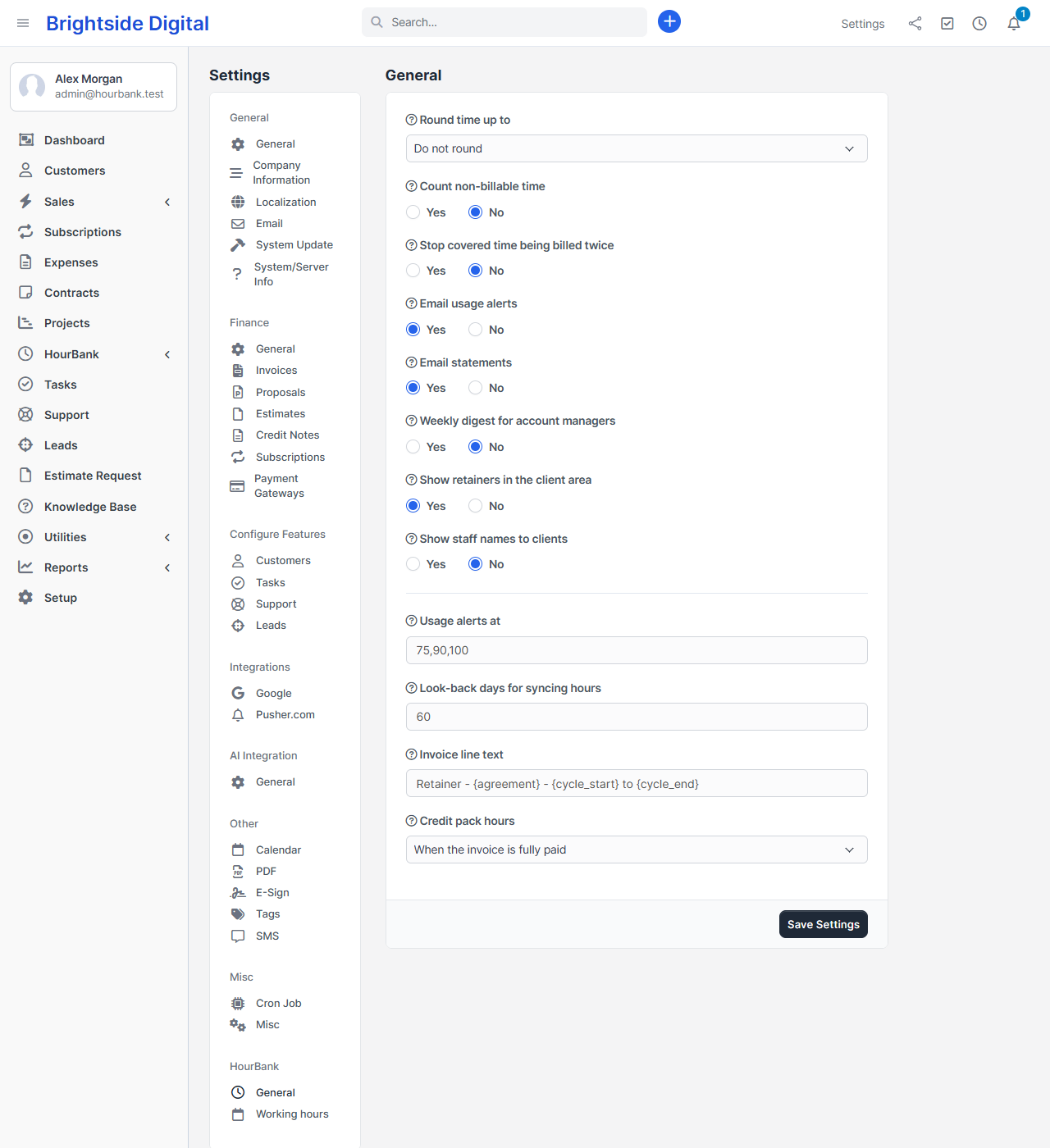
| Setting | What it does |
|---|---|
| Round time up to | The default rounding for new retainers: none, or 6, 10, 15 or 30 minutes. A single agreement can use another value. |
| Count non-billable time | When off, time on tasks that are not billable is not taken from the hours. |
| Stop covered time being billed twice | When every time entry of a task is covered by a retainer, the task is marked not billable so Perfex does not offer it for invoicing again. It is made billable again if the agreement is removed. |
| Email usage alerts | Emails the client and your team when the hours reach each alert level, when extra hours start and before an agreement ends. |
| Email statements | Sends the PDF statement when a billing cycle ends, for agreements that have it switched on. |
| Weekly digest for account managers | Once a week each account manager gets one email with their agreements, hours left and usage. |
| Show retainers in the client area | When off, clients do not see the Retainers page, hours left or statements in their client area. |
| Show staff names to clients | When on, clients see who did the work in the client area and on statements. |
| Usage alerts at | The default alert levels, for example 75,90,100. |
| Look-back days for syncing hours | How many days back HourBank re-checks time entries for changes. The default of 60 is right for most teams. Entries older than that are only brought up to date when a billing cycle closes. |
| Invoice line text | The description on retainer invoices. You can use {agreement}, {cycle_start} and {cycle_end}. |
| Credit pack hours | Add bought hours when the invoice is fully paid (the default), or as soon as the invoice is created. |
Working hours
These tell HourBank which time is a normal working day and which is weekend or after-hours work. They matter only if you use the weekend or after-hours multipliers.
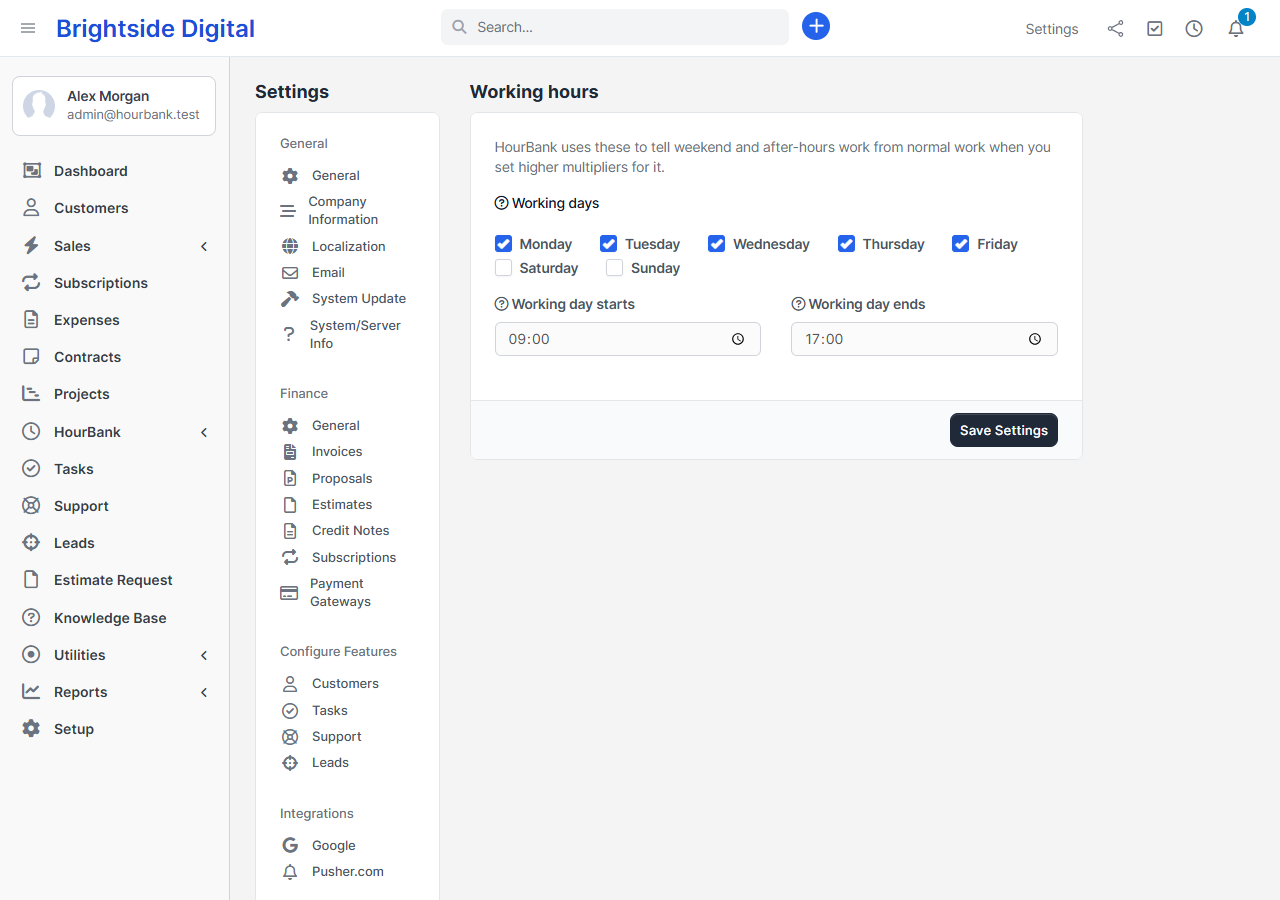
- Working days. Work started on any other day counts as weekend work.
- Working day starts and Working day ends. Work that starts before the start time, or at or after the end time, counts as after-hours work.
Other places
- Email wording: Setup, Email templates, group HourBank.
- Who can do what: Setup, Staff, Roles. See Permissions.
- Currency, tax rates and payment methods are Perfex's own. HourBank uses them for invoices and pack purchases.
- The company time zone: Setup, Settings, Localisation. Dates and expiry times follow it.