Extra hours
Sooner or later a client uses more hours than they have left. The plan's field When the hours run out decides what happens.
| Choice | What happens |
|---|---|
| Allow and bill the extra hours | Work continues. At the end of the billing cycle HourBank creates an invoice for the extra hours at the price per hour you set. |
| Allow and sell a pack automatically | Work continues. HourBank sells the pack you chose, credits it as soon as it is invoiced and takes the extra hours from it. |
| Only warn | Work continues, nothing is billed, and the client and your team get the usage alerts. You decide what to do next. |
| Block (mark as not covered) | Extra time is not covered by the retainer, so you can bill it in the usual way. |
The extra-hours invoice
At the end of the cycle, the extra-hours invoice is created in Perfex. It uses the client's currency, and the tax you set on the agreement. The invoice is dated the day after the cycle ends and has one line, for example: Extra hours used - 2026-01-01 to 2026-01-31 - 3.5 h x 95.00.
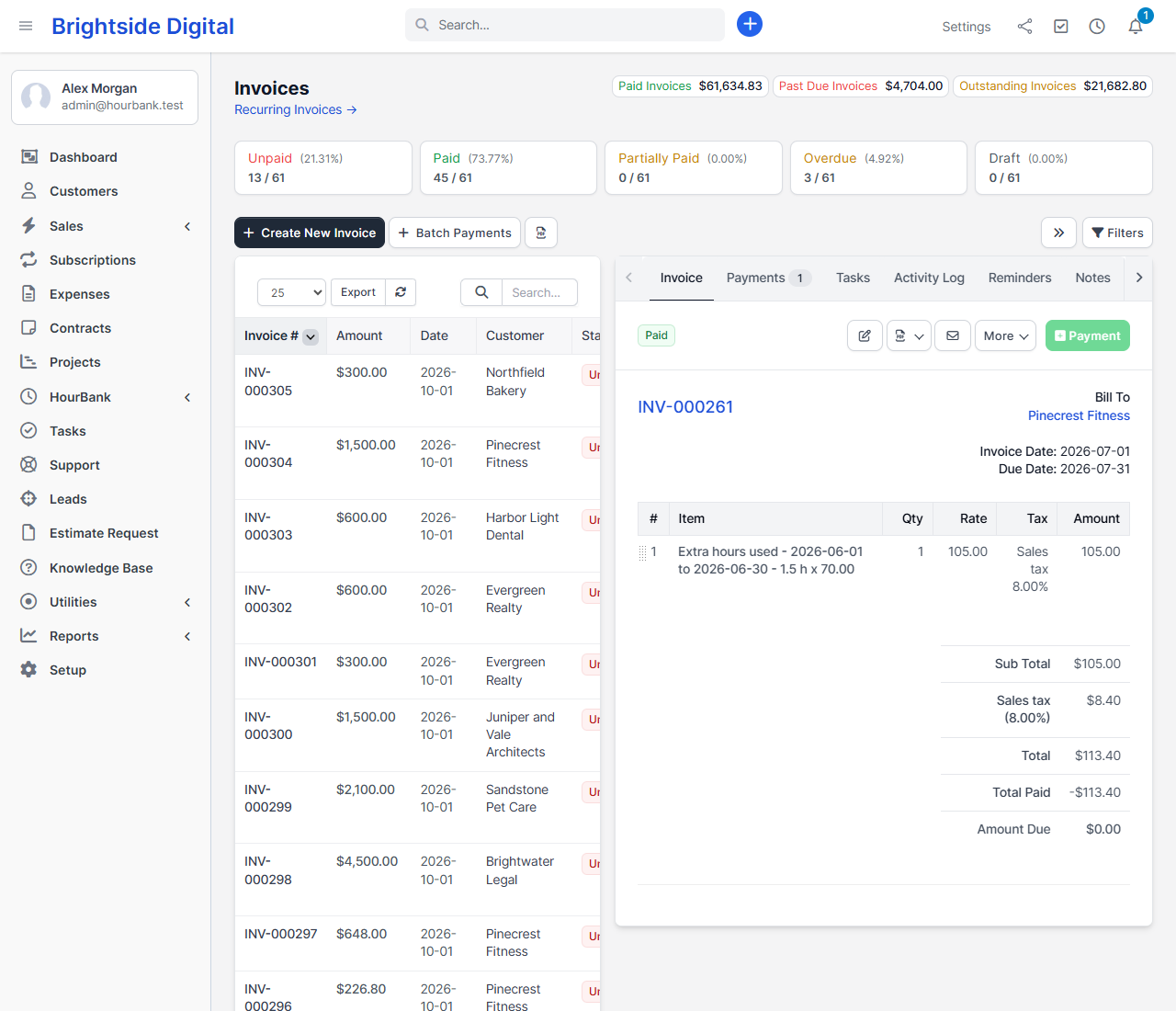
Whether it is only created or also emailed follows the agreement's Retainer invoices are setting. You can change the line text in Settings.
Retainer invoices
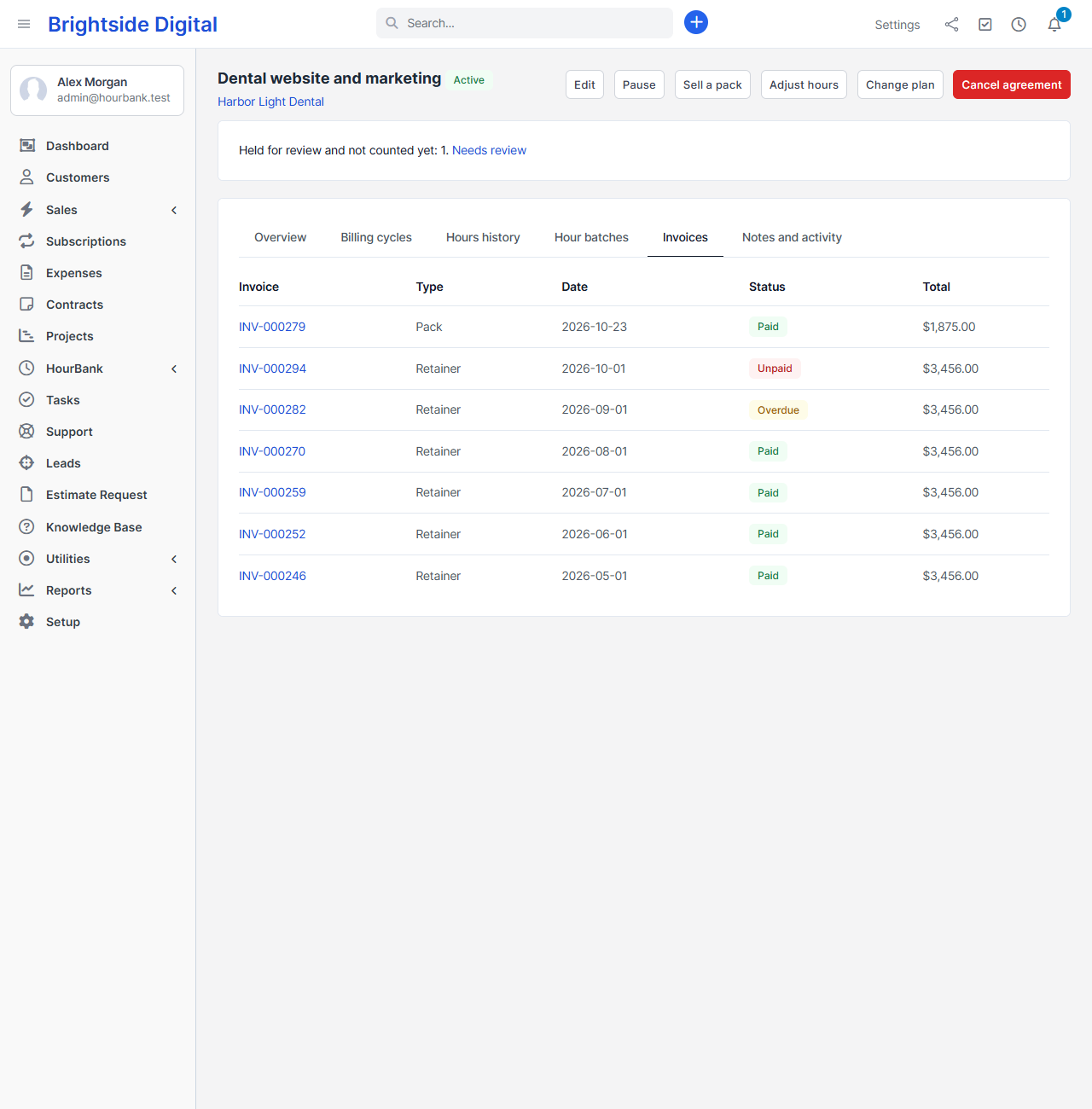
The retainer itself is invoiced at the start of every billing cycle, at the plan's price. You choose whether it is a draft for you to check or sent to the client at once. Every invoice HourBank creates is a normal Perfex invoice: you can edit it, send it, record payments, and it appears in the client's list of invoices.
Missed cycles never create double invoices
If the scheduled task did not run for a while, HourBank catches up in order and creates exactly one invoice per cycle. Running the update twice never creates an invoice twice.