Carry-over and expiry
At the end of every billing cycle, hours the client did not use are handled by the rule on the plan. You choose the rule in the field Unused hours.
| Rule | What happens |
|---|---|
| Expire at the end of the cycle | Unused hours are gone. The next cycle starts with the plan's hours only. |
| Carry everything over | All unused hours move into the next cycle. |
| Carry over up to a limit | Unused hours move to the next cycle, up to the number of hours you enter in Up to (hours). The rest expire. |
Carried hours can expire too
With the carry rules, you can also set Expire after (cycles). Carried hours then expire after that many cycles. Leave 0 and they never expire.
A worked example
A plan gives 10 hours a month, carries over up to 5 hours, and carried hours expire after 2 cycles. The agreement starts on 1 January.
| Month | Opens with | Client uses | What happens at the end |
|---|---|---|---|
| January | 10 h | 3 h | 7 h left. 5 h are carried over, 2 h expire. |
| February | 10 h plus 5 h carried = 15 h | 12 h | 3 h left. 3 h are carried over. |
| March | 10 h plus 3 h carried = 13 h | 2 h | 11 h left. 5 h are carried over, 6 h expire. |
Older hours are always used first, so the client uses up carried hours before the current month's hours, and fewer hours are lost.
Where to see it
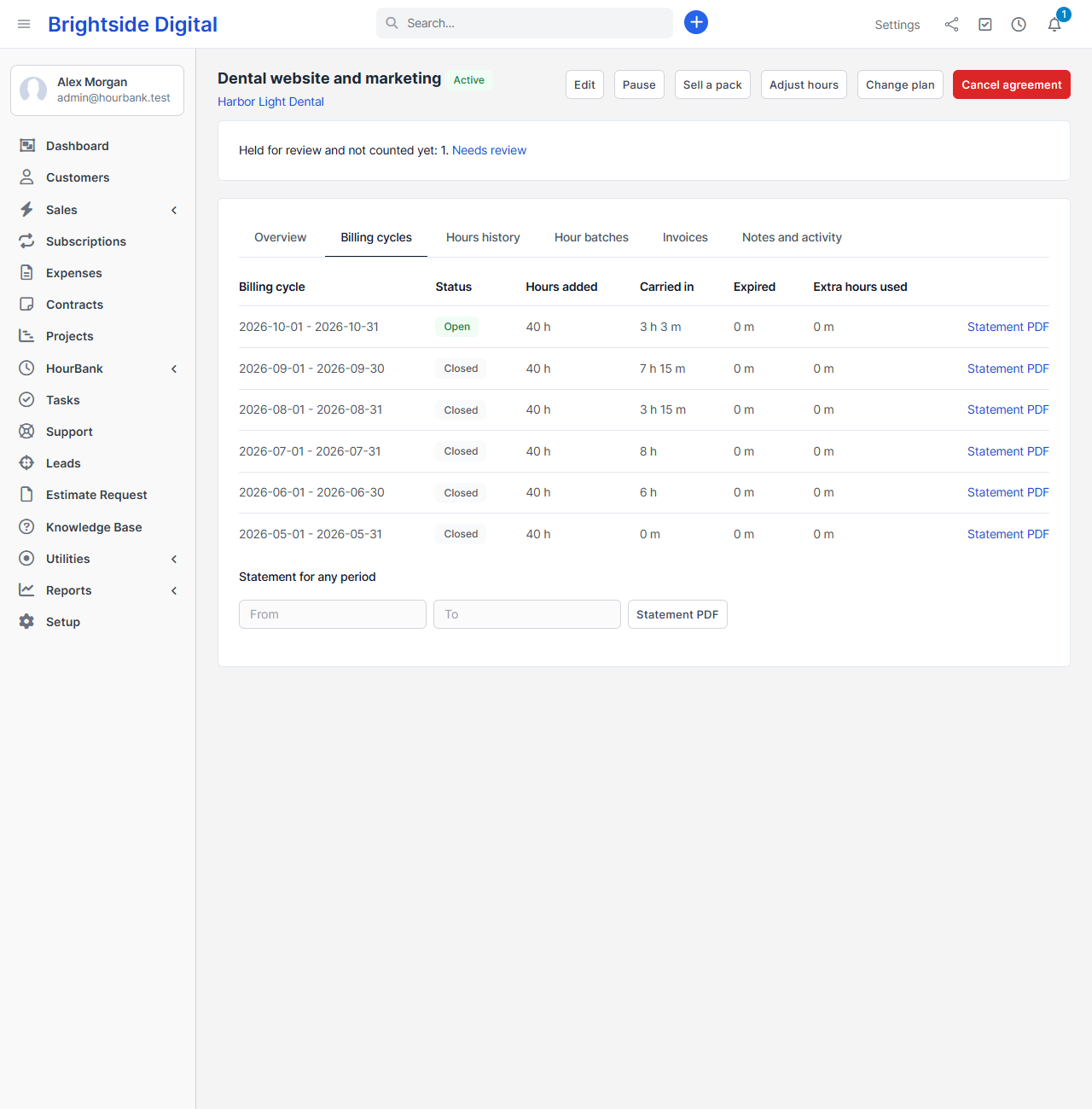
- On the agreement, Billing cycles shows each cycle and what it carried and expired.
- On the dashboard, Hours that will expire soon lists hours that expire in the next 30 days. This is a good moment to remind a client to use them.
- In the client area, clients see which hours expire and when.
- In Reports, Expired hours shows what expired and Hours clients still hold shows what clients can still use.
Expiry dates and time zones
Hours expire at the end of the last day, at 23:59:59 in the company time zone you set in Perfex. Make sure that setting and your server's time zone match. The dashboard warns you if they do not.