Plans and packs
A plan is a template for a retainer. A pack is a bundle of hours a client buys once. You set them up once and reuse them for many clients. Open HourBank, Plans and packs.
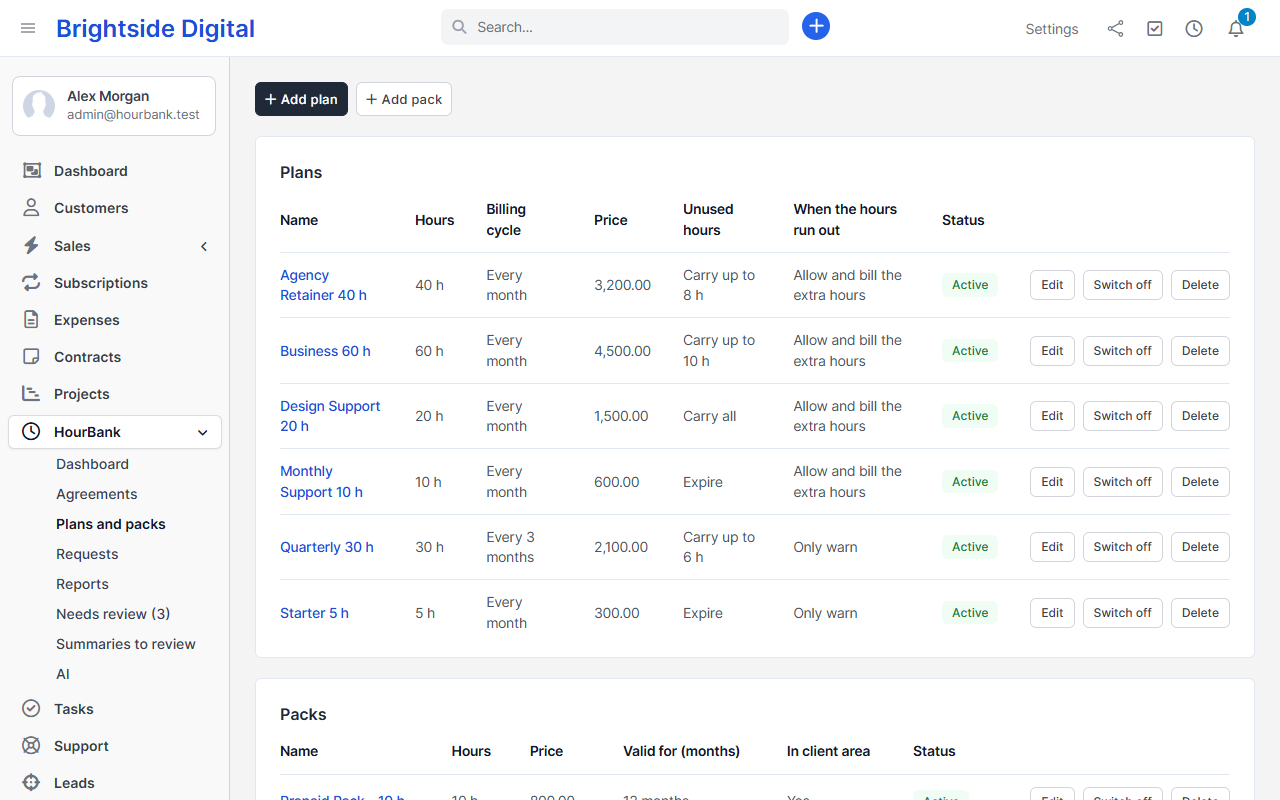
Start with a ready-made plan
When there are no plans yet, the page offers ready-made ones: Monthly Support 10 hours, Agency Retainer 40 hours, Quarterly Maintenance 15 hours, and two prepaid packs. Click one and it is added. Open it to change any detail.
Plan details
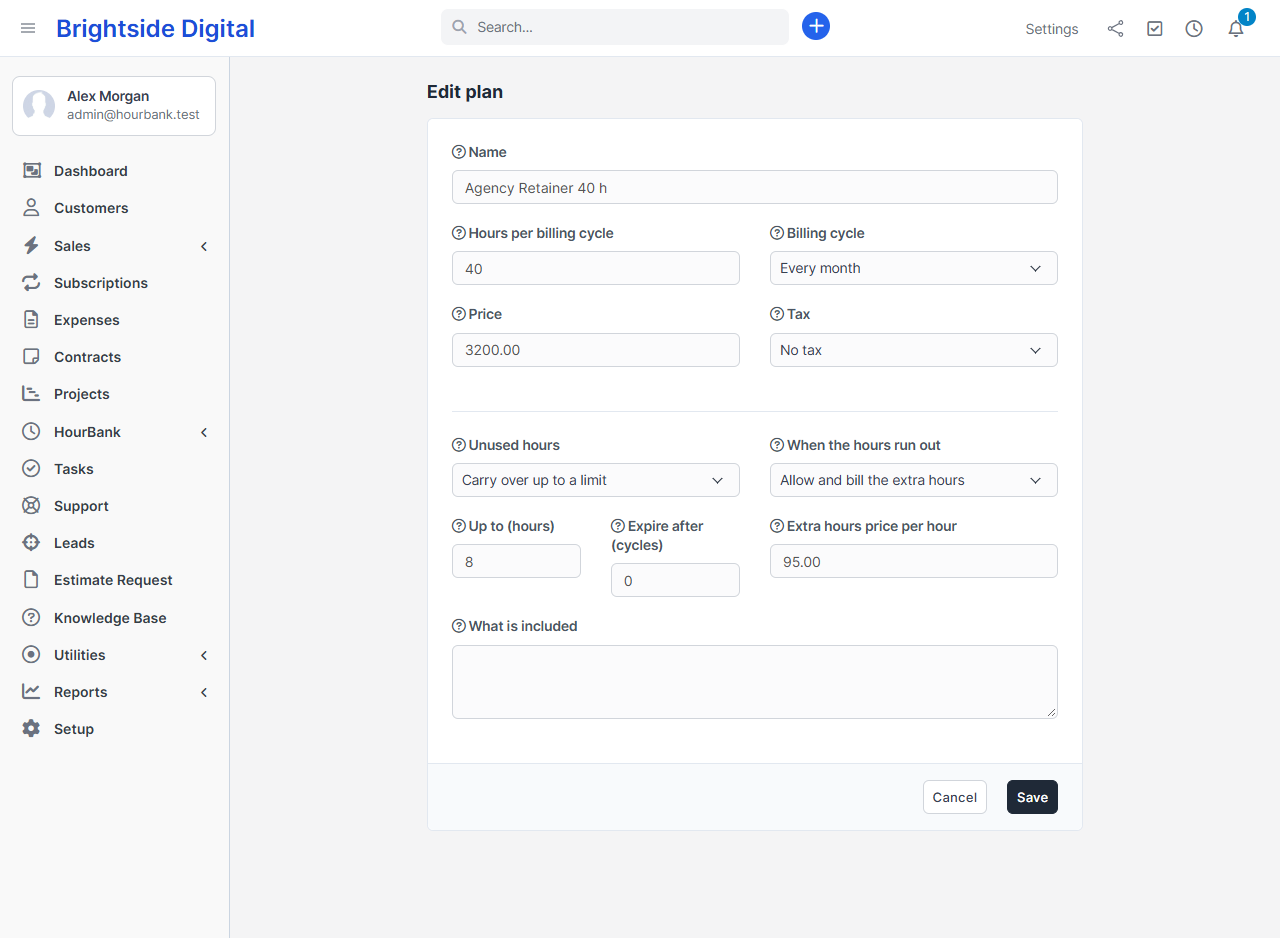
| Field | What it means |
|---|---|
| Name | A short name your team and clients recognise, for example Gold Support. |
| Hours | Hours included in each billing cycle. You can use half hours, for example 12.5. |
| Billing cycle | Every month, every 3 months, every 6 months or every year. The hours renew and the retainer is invoiced once per cycle. |
| Price | What the client pays for each billing cycle, in the client's currency. You can also choose a Perfex tax. |
| Unused hours | Expire at the end of the cycle, carry everything over, or carry over up to a limit. See Carry-over and expiry. |
| When the hours run out | Allow and bill the extra hours, allow and sell a pack automatically, only warn, or block. See Extra hours. |
| Usage alerts at | The percentages at which the client and your team are emailed. Example: 75,90,100. |
| Retainer invoices are | Drafts for me to check creates the invoice for you to review and send. Sent to the client also emails it. |
| What is included | A plain description of what the retainer covers. Clients see it, and the AI scope check uses it. |
Packs
A pack is a one-off bundle of hours, for example 10 hours for 800. It has a name, hours, price, an optional tax, how many months the hours stay valid, and a description. If you tick Clients can buy this in the client area, clients with an agreement can buy it themselves. See Client portal.
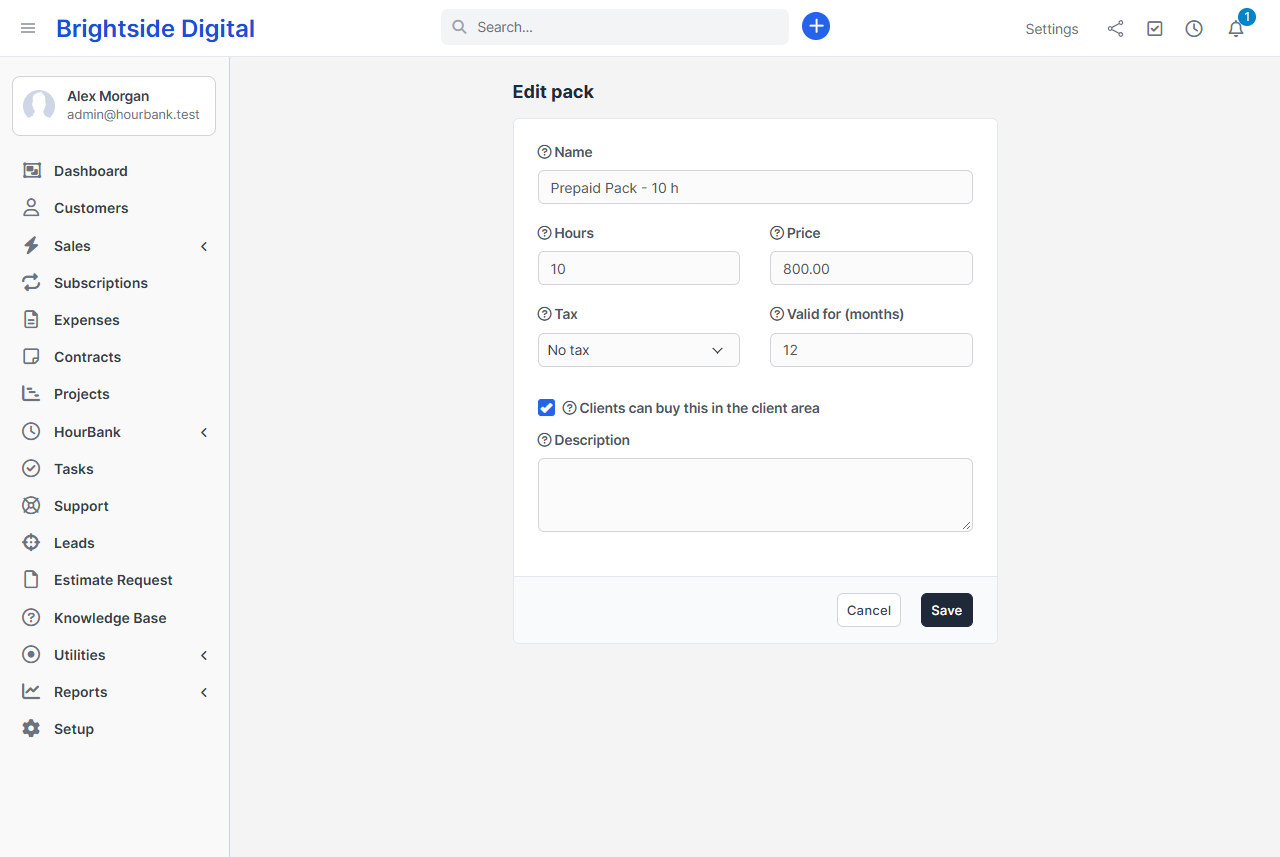
Hours from a pack are added to the client's balance when the invoice is paid. You can change this to add them as soon as the invoice is created, in Settings. Pack hours are used after hours that expire sooner.
Changing or deleting a plan
Changing a plan does not change retainers that already use it. To move a client to another plan, use Change plan on the agreement. If a plan or pack has been used, Delete only switches it off, so nothing in the history is lost.