CSV import
If you already run retainers in a spreadsheet, you can bring them into HourBank in a few minutes. Open HourBank, Agreements and click Import retainers.
Step 1: Download the template
Click Download the CSV template. Open it in Excel, Google Sheets or LibreOffice. It has the column headings and one example row. Fill in one row per retainer.
| Column | Required | Notes |
|---|---|---|
| Client | Yes | The customer's company name exactly as it is in Perfex, or the customer number. |
| Agreement name | No | Leave empty to use a default name. |
| Plan | No | The name of an existing plan. Its hours, price and rules are used. |
| Start date | Yes | For example 2026-01-01. |
| Hours per cycle | If there is no plan | For example 10. |
| Price | No | Per billing cycle. |
| Opening balance (hours) | No | Hours the client has left today. |
| Opening balance expires | No | The date those hours run out. |
| End date | No | Leave empty to renew without end. |
| Extra hours price | No | Price per extra hour. Needed to bill extra hours. |
For a retainer that started a long time ago, set the start date to the start of the current billing period and put the hours the client has left in Opening balance. Start dates more than two years ago are refused.
Step 2: Upload and match the columns
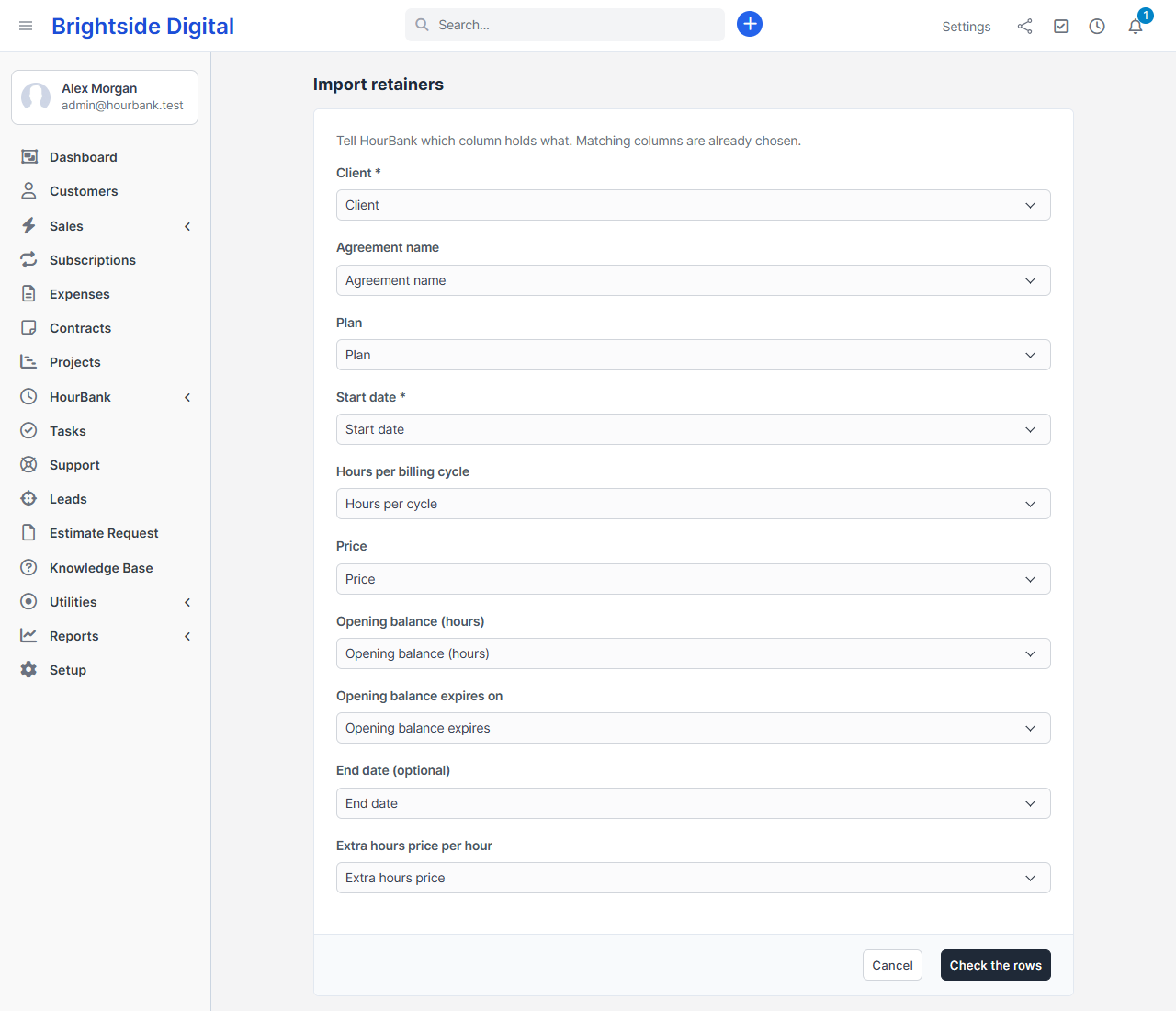
Choose your file (a CSV smaller than 2 MB, up to 2,000 rows) and click Next. Files saved by spreadsheets in many countries use semicolons instead of commas, and HourBank copes with both. It matches columns by their headings. If a heading is different, choose the right field in the drop-down, or Do not import for a column you do not need.
Step 3: Check the rows
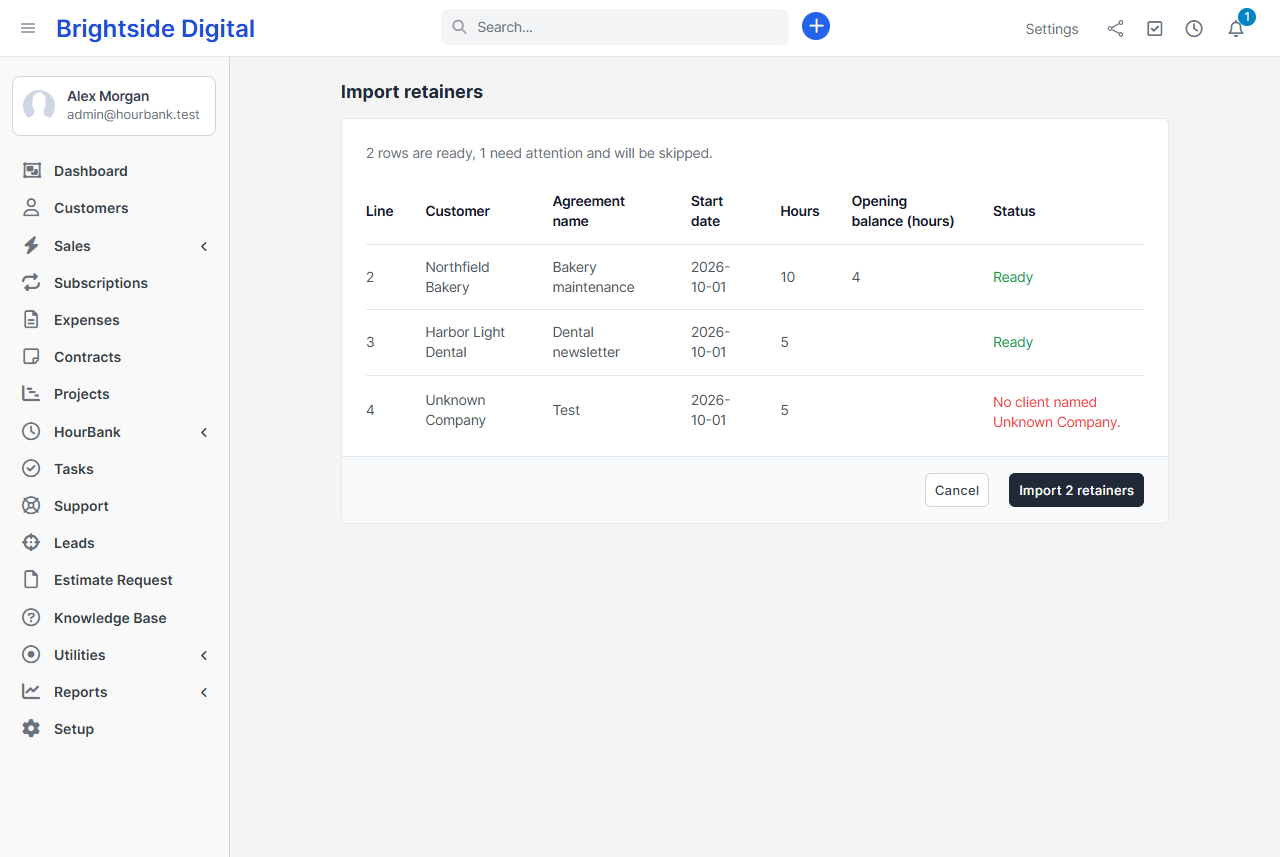
Nothing is created yet. HourBank shows every row and says whether it is ready. Rows with a problem, such as a client it cannot find or a date it cannot read, say why and will be skipped.
Step 4: Import
Click Import. HourBank creates the agreements as running retainers. Importing the same file twice does not create duplicates: a row whose client, name and start date already exist is skipped.